All Users#
Log in and navigate the platform#
- Navigate to https://apgap.prod.rtd.asu.edu
- Click Sign in with Google and select your institutional account
- After login you’ll land on the Dashboard
The left sidebar is your main navigation. What you see depends on your role — Platform Admins see an Admin section that other users don’t.
To log out, click your name or avatar in the top right corner and select Log out.
Update your notification preferences#
APGAP sends in-app notifications (the bell icon in the bottom left menu) for events like access request decisions, file status changes, and lab updates. You can control whether these also generate emails.
- Click your name in the bottom left → Notifications → Notification Preferences
- Toggle email notifications on or off for each event type
- Click Save at the bottom of the page
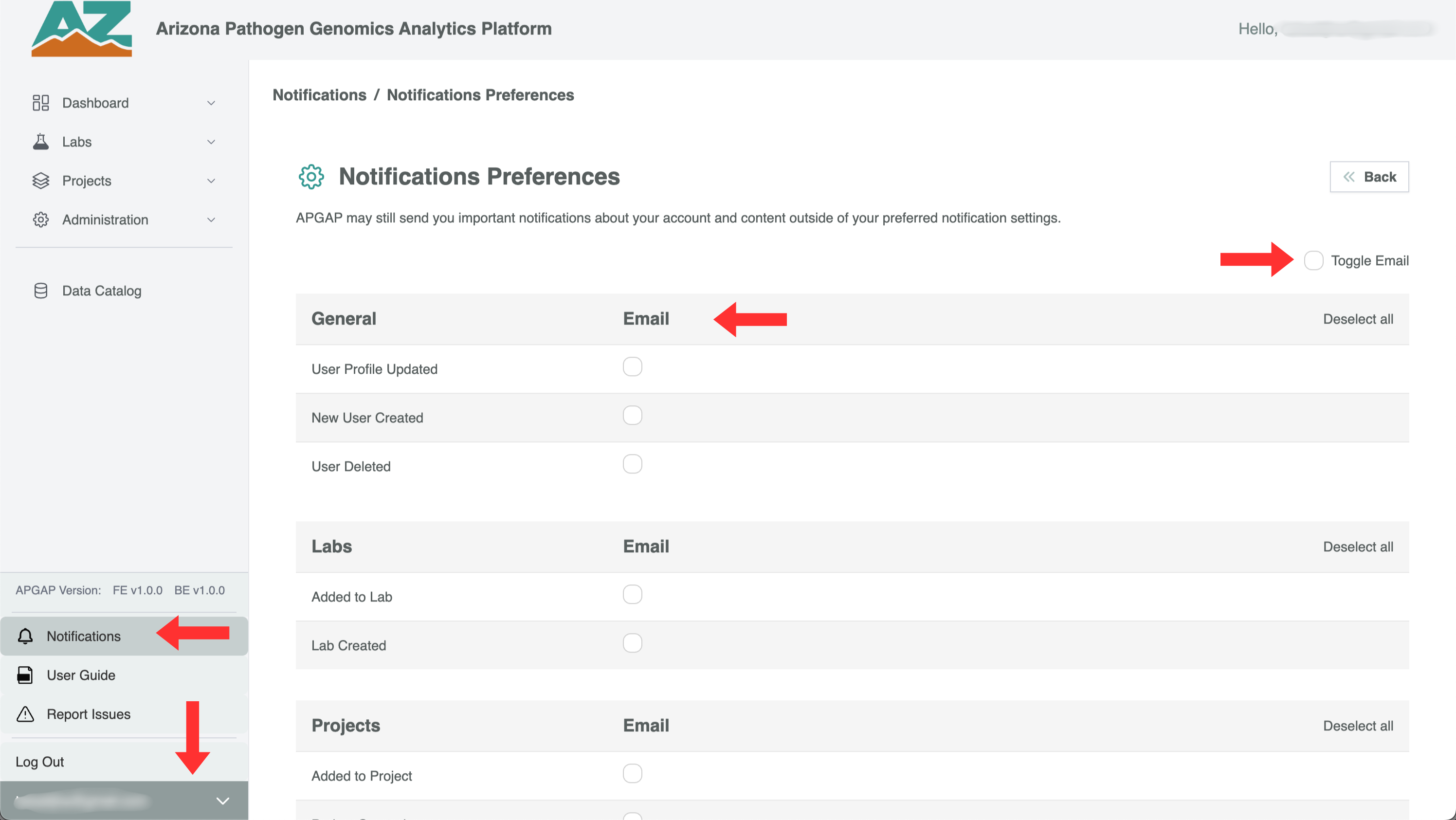
In-app notifications cannot be disabled — only email delivery can be turned off. The notification types available to you depend on your role.